Flat $150 per month pricing

The right workshop software for single-location shops.

Simple to use, yet powerful. The best daily workflow of any shop management software — built by shop owners who use it every day.

  • 3 clicks — estimate to work order to invoice. No retyping.
  • Canned services for the jobs you do every day — every part and labor line ready.
  • Send estimates — customers approve from their phone.
  • QuickBooks, SMS, email and digital signatures — already inside.
app.needforservice.com / workflow
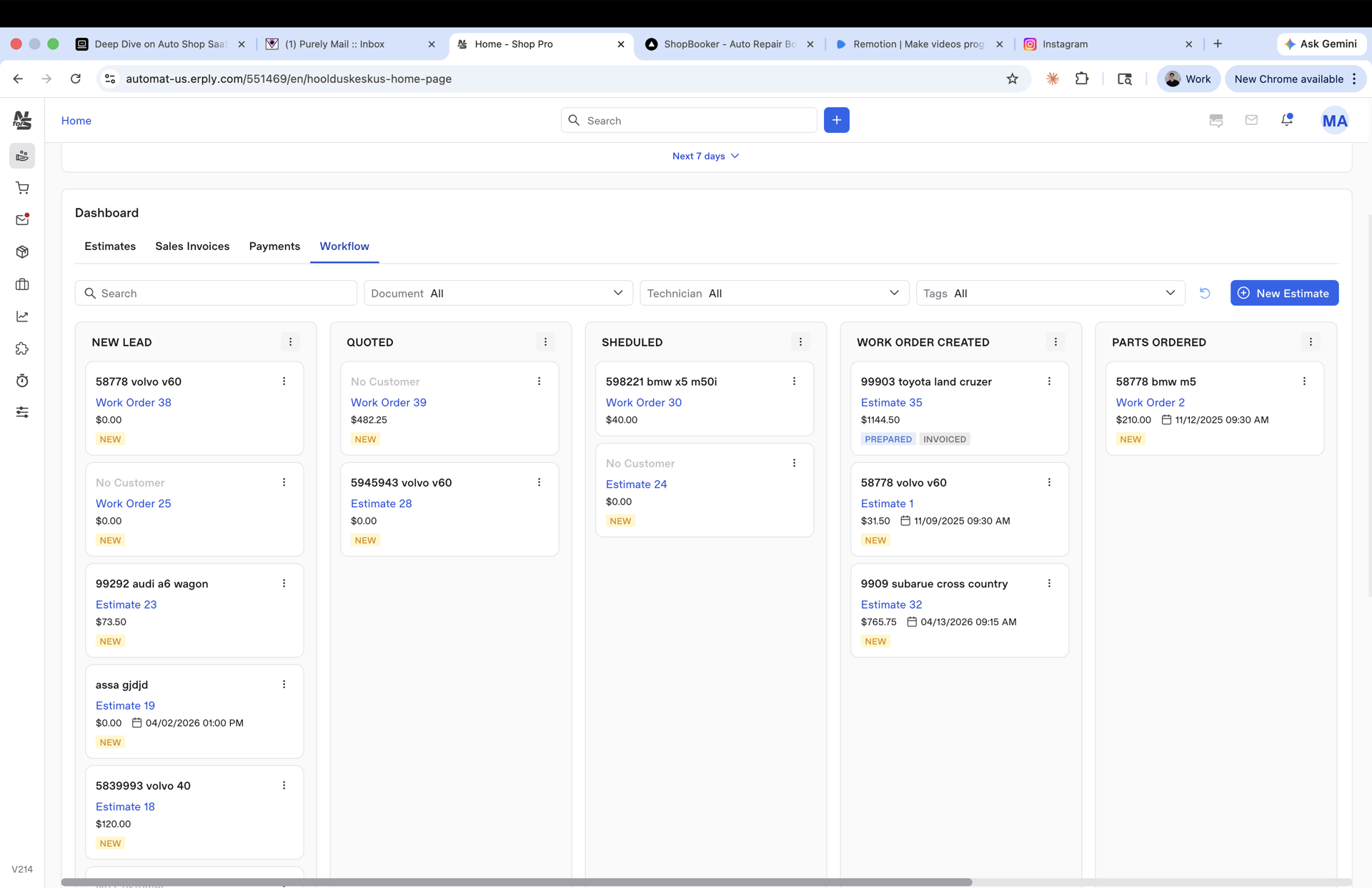
The Need for Service workflow board — New Lead, Quoted, Scheduled, Work Order Created, Parts Ordered
No double entryEstimate → Invoice
Flat $150 / moNo per-seat, no upsell
A day at your shop

From the first call to the next oil change.

Here's how Monday actually runs in your shop.

Step 01 / 05

The customer walks in. You're ready.

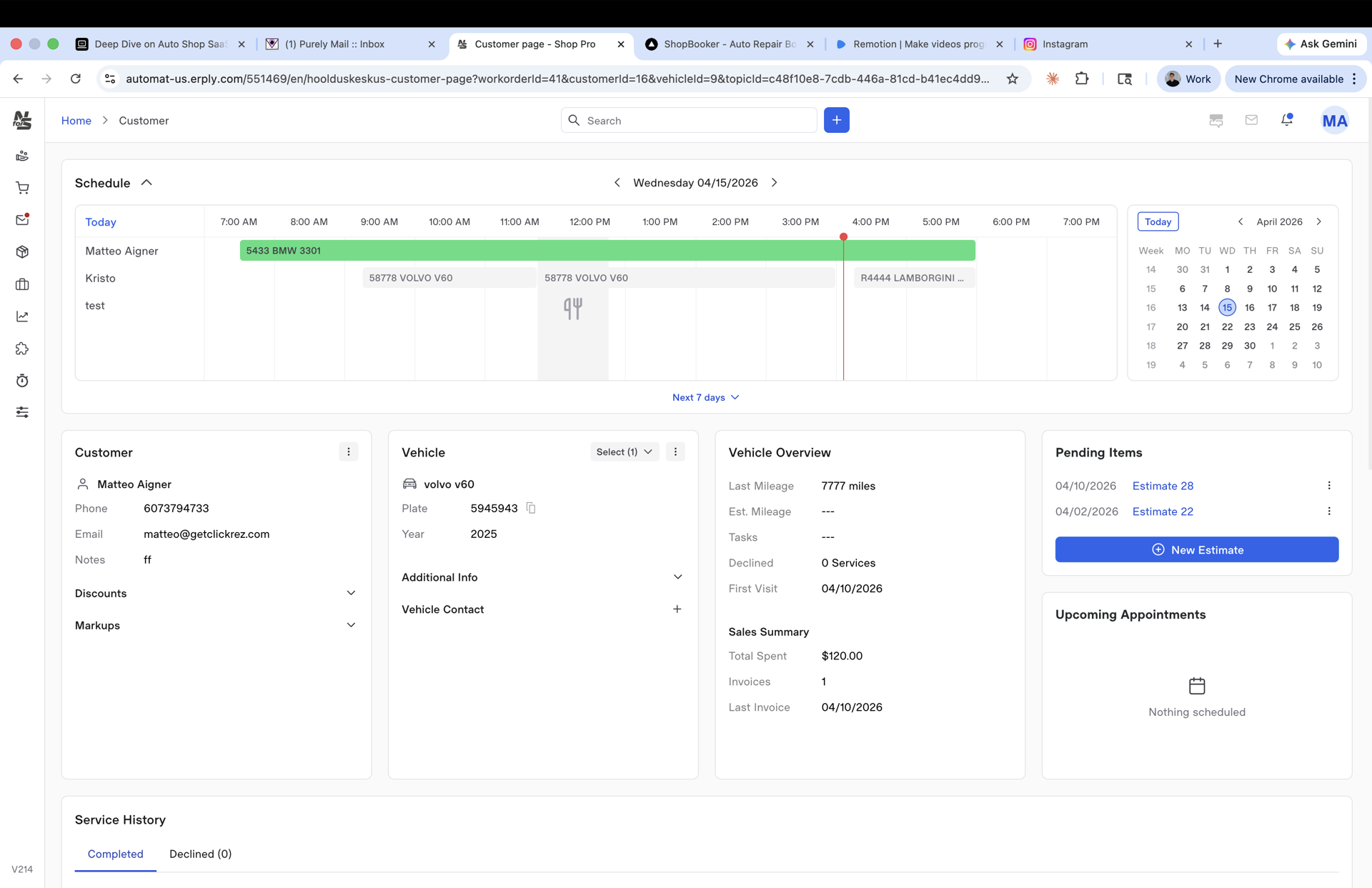
They've been here before. You pull them up. Name, car, full history. No questions they've answered a dozen times before.

You check the schedule and find a slot that actually works. The right technician is free, the time is realistic.

You book it. They get a confirmation. And a reminder before the appointment.

They show up.

Customer record — schedule, vehicle, service history on one page
Customer · vehicle · history — one screen
Step 02 / 05

The estimate does the talking.

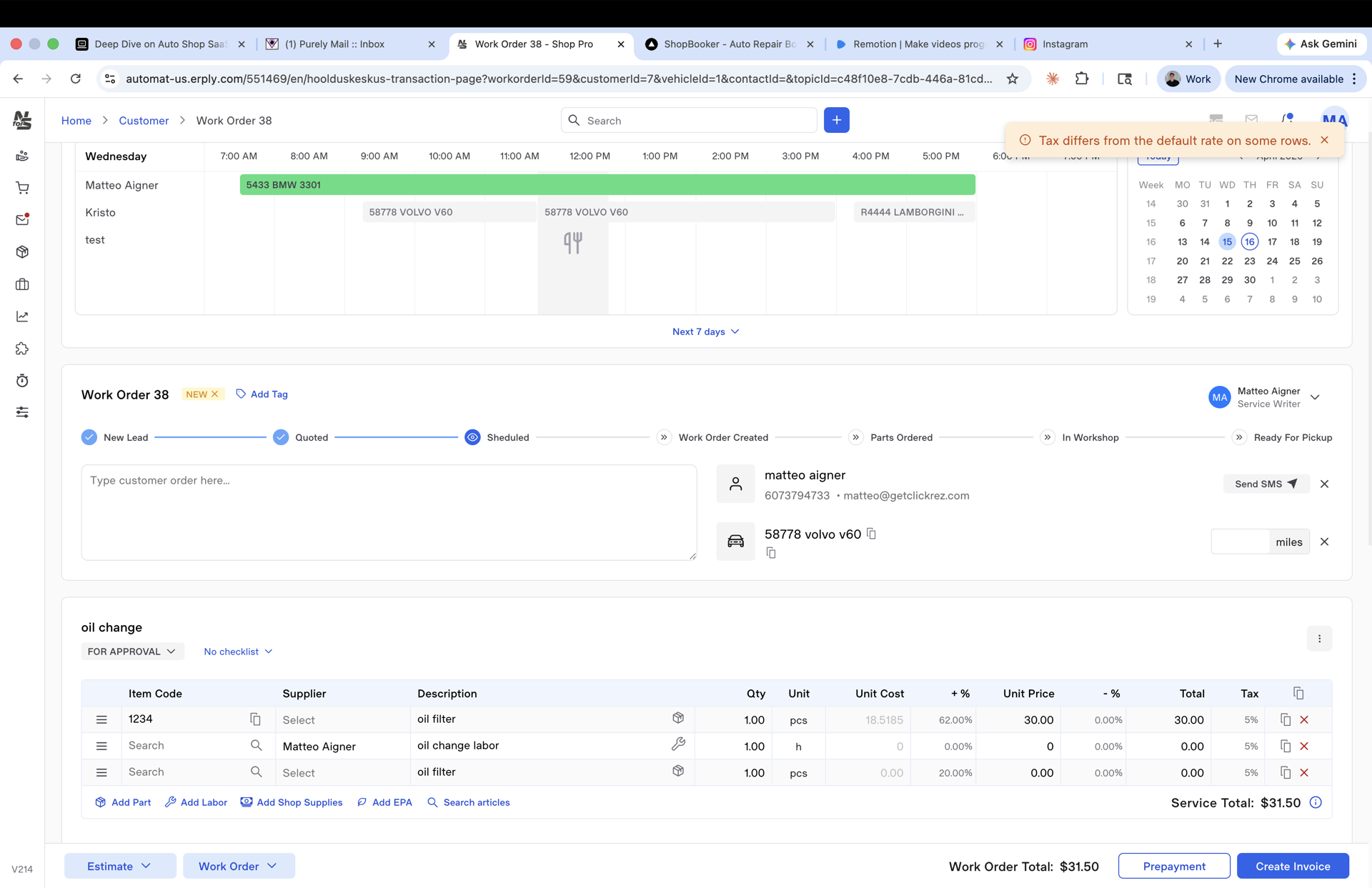
You build the estimate while the booking is fresh. Services, parts from stock, or ready-made kits.

The estimate goes out. They approve or push back on their own time. No phone calls back and forth.

And when they're ready, they book the time themselves. Straight from the estimate.

You didn't have to follow up. You just got a confirmed job.

Work order / estimate with line items, approvals, and signature capture
Estimate · line items & approvals
Step 03 / 05

The car arrives. The technician already knows what to do.

The job is on their app. What was agreed, what was ordered, what needs attention. No printouts, no briefing in the parking lot.

They work through it. Photos, notes, time logged. If something unexpected comes up, it gets flagged immediately. Not at the end of the day, not when the customer is already asking.

Everything lands on your desk in real time.

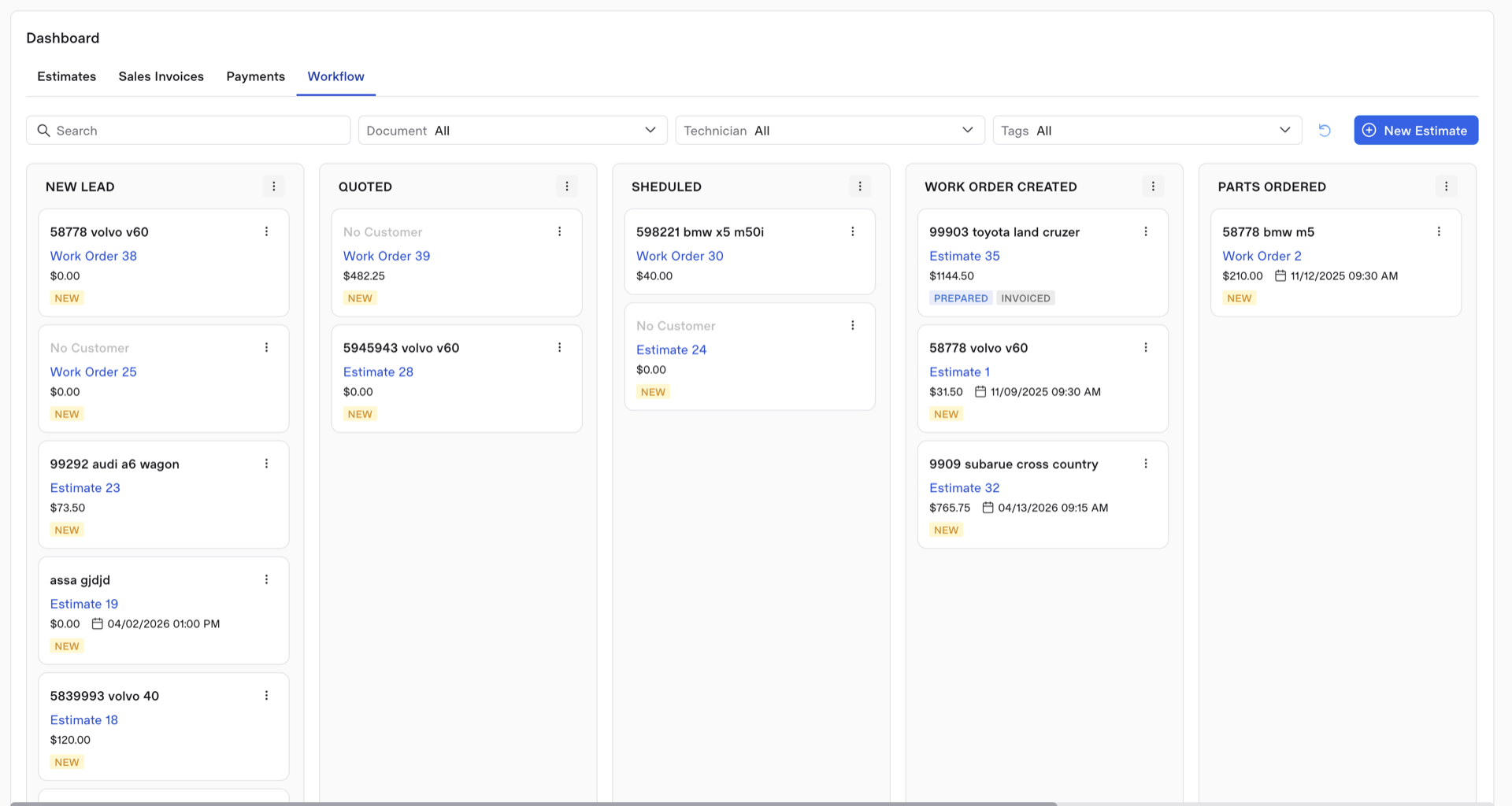
app.needforservice.com / workflow
Kanban workflow — New Lead, Quoted, Scheduled, Work Order Created, Parts Ordered
Workflow board · every car, every stage
Step 04 / 05

The car is ready. Everything else takes care of itself.

One tap and the job sheet becomes an invoice. The customer gets a message that their car is waiting.

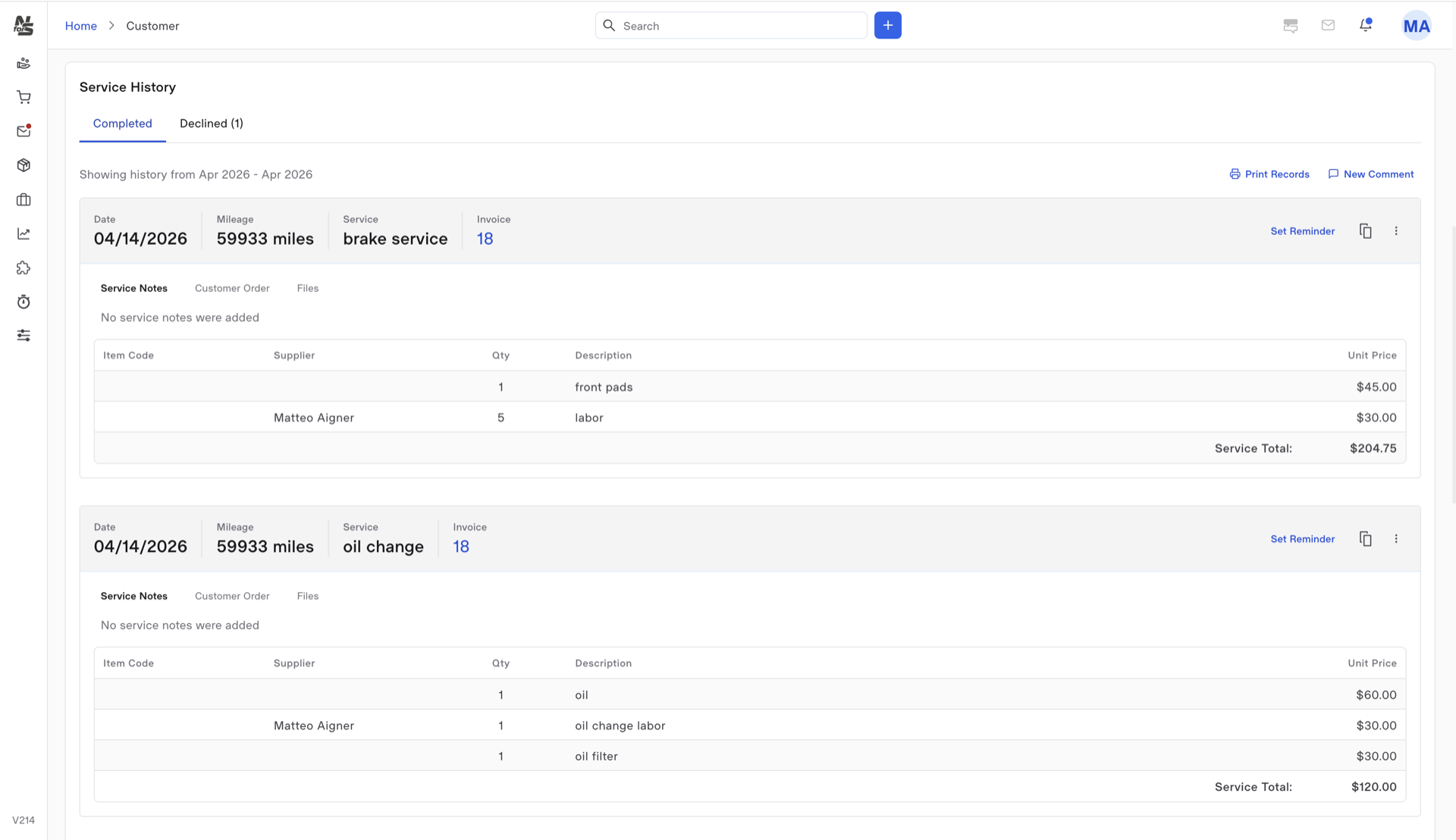
They come in, you go through the work together. Payment is taken on the spot. No separate terminal to dig out, no invoice to email later.

The job moves to history. The car, the work, every detail logged against that customer and that vehicle. And if an oil change was done today, a reminder is already scheduled. Not something you need to remember. It just happens.

They leave. They'll be back.

Service history — completed invoices stacked per vehicle
Service history · logged, reminder queued
Step 05 / 05

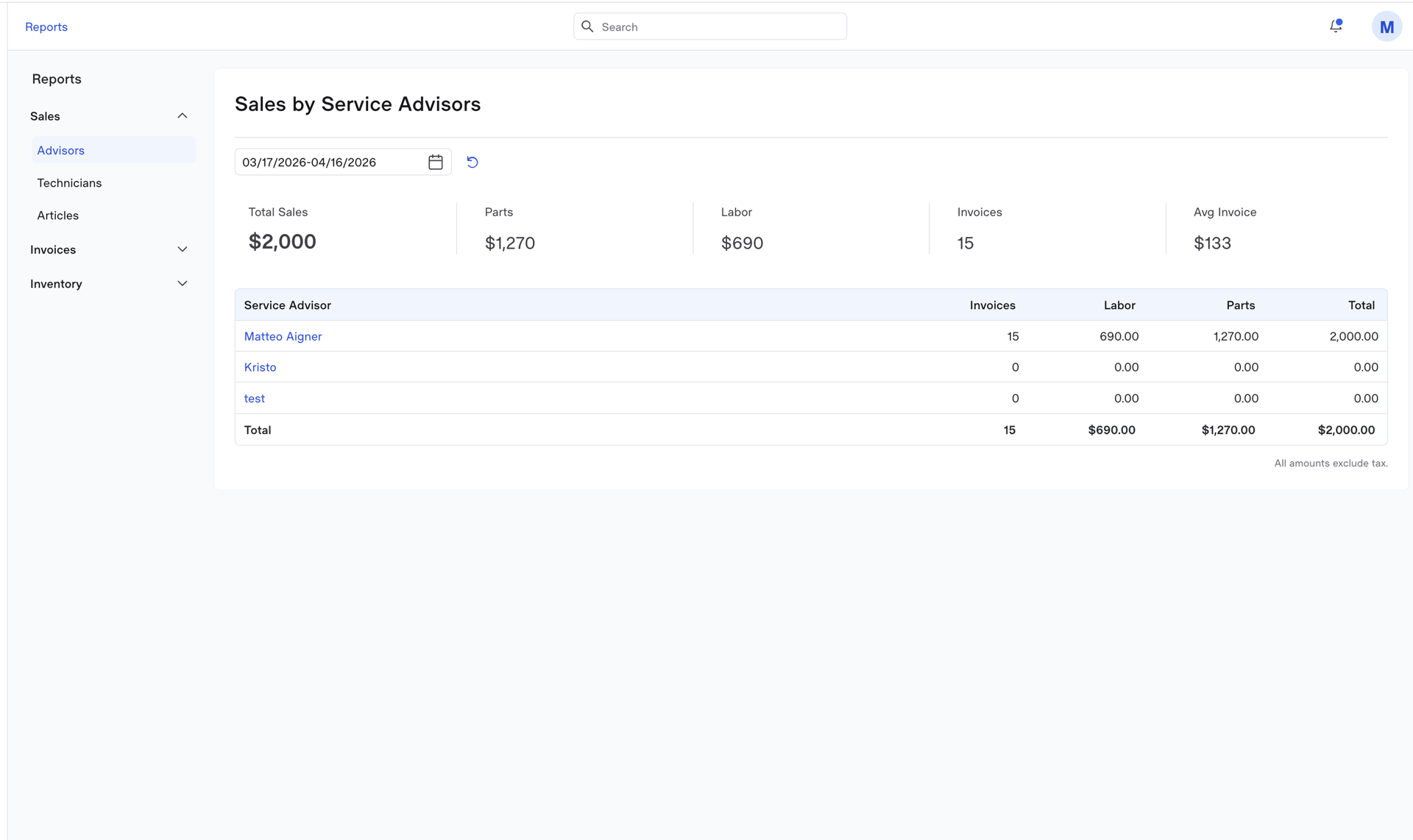
You know exactly how your shop is doing.

Not at the end of the month when the accountant calls. Right now. Jobs completed, revenue, parts used, technician hours. Everything that happened today, this week, this year.

You see what's working and what isn't. Which services are most profitable, where time is being lost, how the business is actually moving.

No guessing. Just your shop, clearly.

Reports — sales by service advisor, labor, parts, invoice totals
Reports · sales, labor, parts — live
01

A job board that works like your whiteboard.

New Lead, Quoted, Scheduled, In Progress, Parts Ordered, Ready for Pickup. Drag a card and the whole shop sees it. Filter by tech, tag, or vehicle.
02

Estimate to invoice in one click. No retyping.

Add a service kit, and tax and shop supplies fill themselves in. Capture the signature, push it to QuickBooks, done — without typing a line item twice.

03

Follow-ups that actually happen.

Recurring services stick to the vehicle. Mileage and interval reminders fire by SMS and email — so the next oil change isn't a sticky note someone forgot to text.

Built on real floors

The people who switched aren't going back.

Advisors run through the day quicker. Owners close the books on time. Techs stop fighting the software. Here's what they told us — unedited.

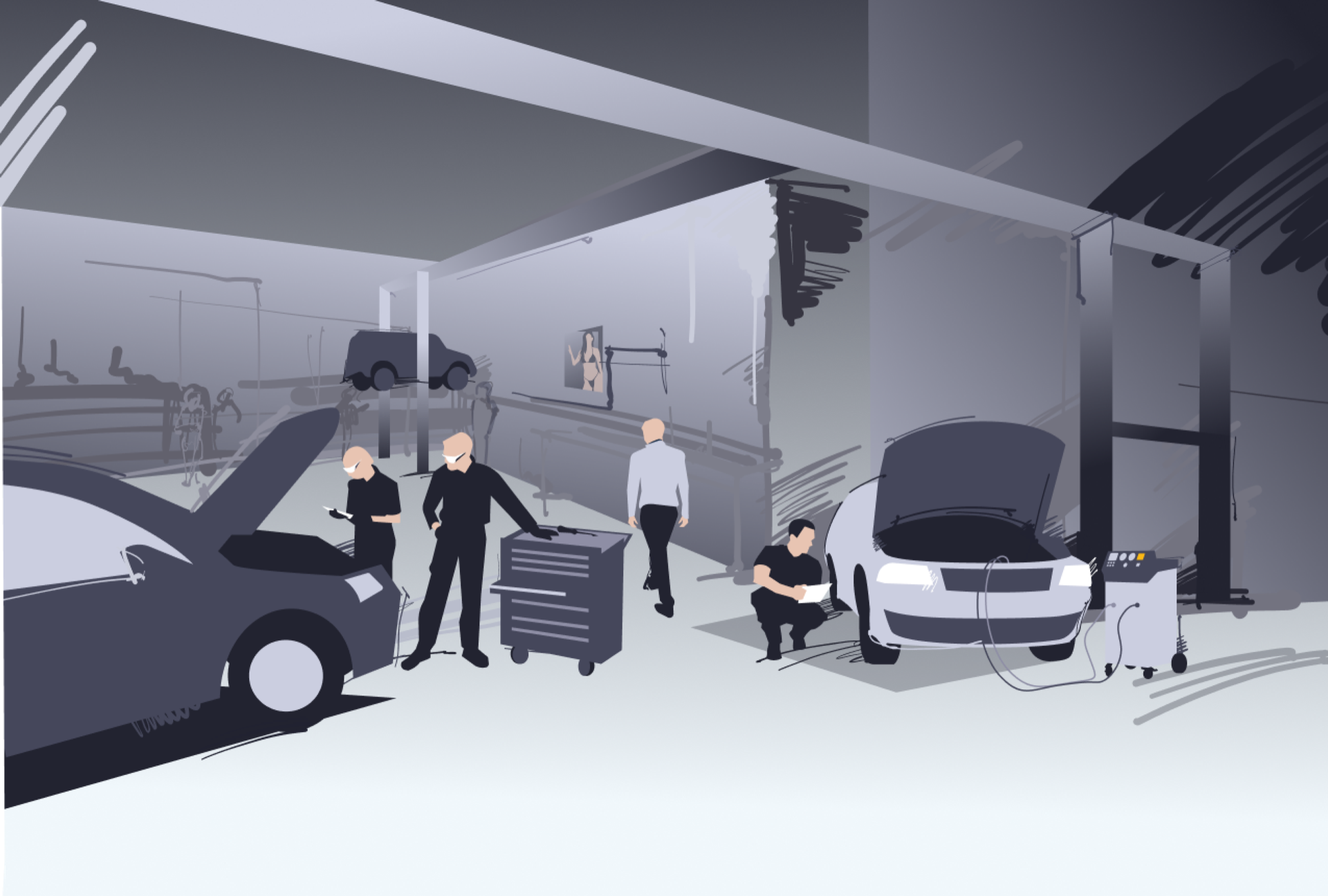
Two mechanics reviewing the workflow board together on a laptop
What shops say

No hype. Just the shops running on it.

Over the years, I've experimented with various customer management programs, yet this software has endured. Its functionality and straightforward user-friendliness are exceptional. It's evident the program is developed by people who use it daily — offering the simplest, most convenient solutions for both shops and their customers.
SU
Silver Uusna
Owner · ProTuning
This software is highly user-friendly. The necessary functions are efficiently solved and easily accessible. Adding cars and customers saves us a considerable amount of time in our daily workflow. Creating worksheets and invoices is also a quick and convenient process.
LS
Lear Samoilov
Owner · Prantsuse Auto
This software has streamlined the operation of our car workshop. Keeping track of prices and installed spare parts to customers' vehicles, as well as monitoring service history, has become effortless. In comparison to competitors, it stands out for its user-friendly and convenient interface. Even a new employee can grasp the program in a very short time.
OT
Oliver Tammemägi
Owner · Martna Garaaž
Book a demo

See the software live with a 15-minute demo.

We'll show you Need for Service running a real ticket from start to finish — no slides, no sales pitch. You'll know in 15 minutes if it's right for your shop.